⇧ shift
01Hold Shift
Start dragging a window while holding Shift to reveal your layout.
Your work has a flow. Give it a layout.
Arrange your Mac’s windows into spaces that feel just right.
For macOS 13 and later One-time purchase
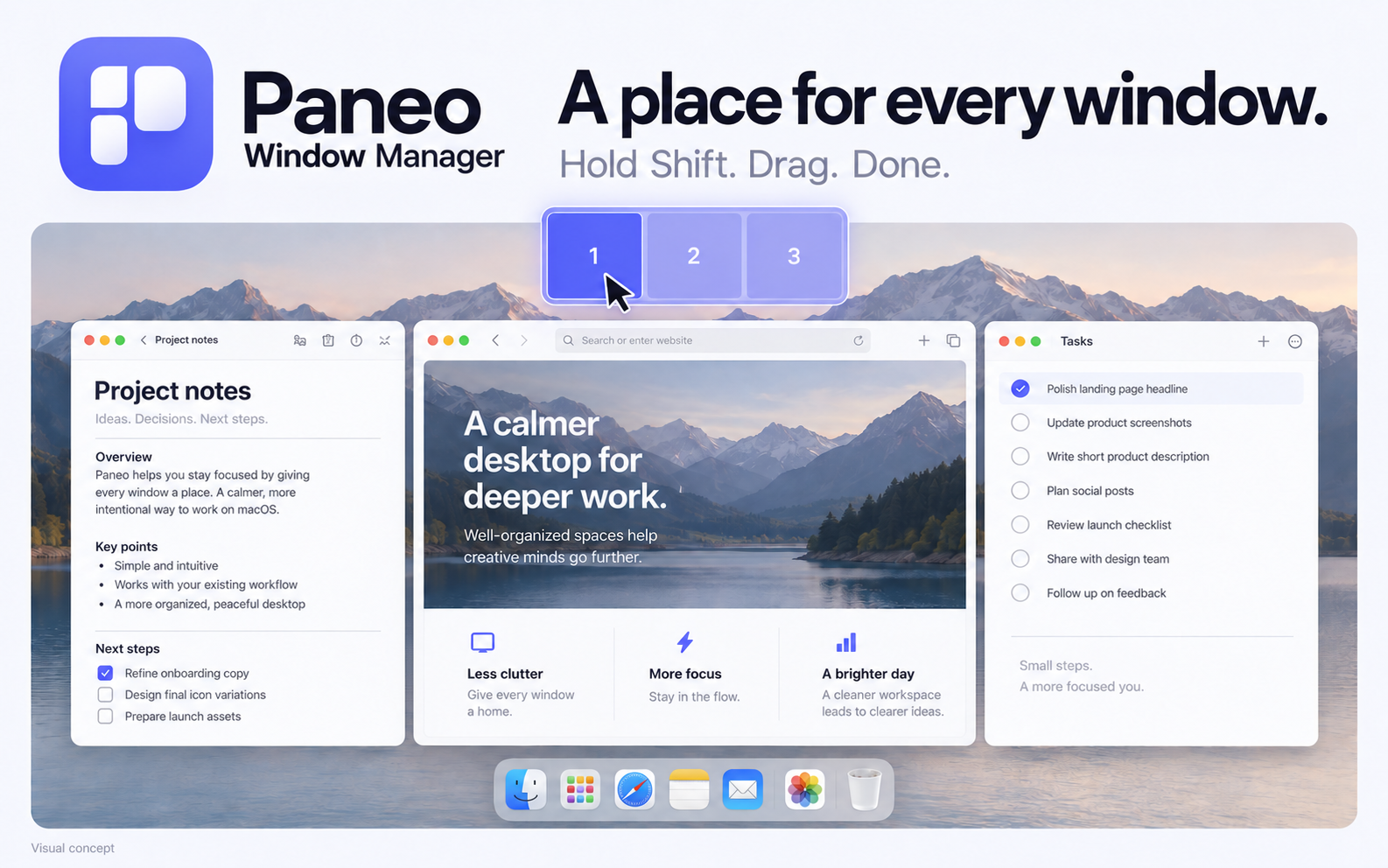
A small gesture that brings your whole desktop together.
Start dragging a window while holding Shift to reveal your layout.
Move over a numbered zone. Paneo highlights where your window will go.
Release the window. It moves and resizes to fit the space you chose.
A big space for your main task.
A little space for everything alongside it.
Start with a layout, then make it yours.
Drag a zone or its corner to resize. With a zone focused, use arrow keys to move; Shift + arrows to resize.
Interactive illustration. Your desktop windows stay right where they are.

For the days when your hands are on the keyboard and your mind is somewhere good.
Move your active window to the next zone.
Give each screen its own arrangement. Keep your main workspace and your second display in sync with how you work.
Adjust the space between windows and exclude apps you prefer to arrange yourself.
Restore a window’s earlier size and position during your session. Your layout can move with you.
 A calmer desktop, simply yours
A focused little utility. A little more room to think.
$3.99 USD
Buy Paneo Window ManagerSecure checkout with Polar. For macOS 13 and later.
Already purchased? Find your license and download.Paneo is a Mac app for macOS 13 or later. It needs Accessibility permission to move and resize windows from other apps. Some apps enforce a minimum window size, which can affect how closely they fit a zone.
Paneo lets you create custom zones and assign different layouts to your displays. You decide the size and position of each zone, then use Shift-drag or keyboard shortcuts to arrange windows.
Yes. You can assign a layout to each display and use keyboard shortcuts to move a window between displays. Different screens can have different arrangements.
No. Paneo is a one-time purchase. You can review the price and license details at checkout before buying.
Checkout is handled by Polar. After purchasing, use the customer portal to retrieve your license and available downloads. You can return later using your purchase email.
Paneo’s window management runs on your Mac. It doesn’t include activity analytics or advertising trackers. Payments and license activation will involve Polar; that is separate from the contents of your windows.